JSM Applications Inc.

Travel information, from a photo of the sign

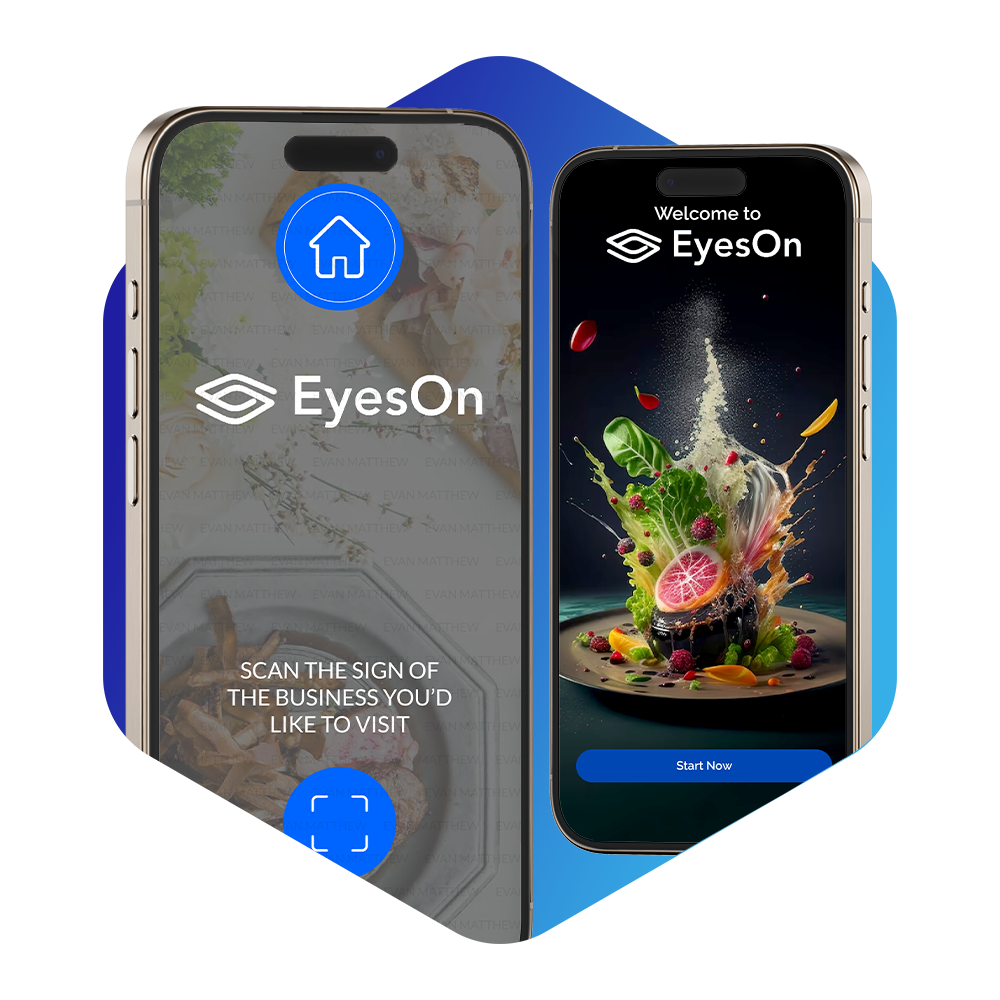
EyesOn gives people real-time information about a restaurant, venue, informational signage, or translation with a single click on the phone camera. JSM Applications Inc. is building OCR that captures real-world signage and turns it into something you can use on the spot.

The problem

You can see the place. You still don’t have the information.

People on the move still have to guess at a name, type it into search, and hope they found the right listing. That is slow when you are standing in front of a restaurant, a venue, a sign you cannot read, or a street you do not know.

EyesOn is for that moment: the place is in front of you, but the menu, hours, reviews, website, or translation is not.

EyesOn product
What people do today

Type the name. Search. Hope it is the right location.

Today people type names and items into Google, scan the results, and try to match a listing to the physical place. That is the workaround, because pointing a camera at the sign and getting the right place back is not how most travel tools work.

The solution

EyesOn is a mobile app. You point the camera at real-world signage. The software reads it, ties it to location, and returns useful information — phone numbers, menus, tickets, the company website, reviews, Wikipedia-style context, ordering, and payment paths.

What JSM is building

JSM Applications is developing OCR built for outdoor and storefront signage, converting a real-world image into a digital result you can act on — not only scanning a paper document at a desk.

Customers

People on the go who have to decide now

EyesOn is for people who travel overseas or stay closer to home and still need a decision in the moment. The first wedge is food and travel; the same camera gesture then applies to other signage.

Who desperately needs it: travelers who need help deciding on vacation, a business trip, or a night out.

Food and dining

Traveling foodies, authentic regional restaurants, budget dining, family restaurants, and choosing a place for a business meeting.

How we think about “customer”

If you are standing in front of a sign and need the next fact — menu, translation, reviews, tickets — you are in the set.

  • The traveling foodie and best cities for foodies
  • Traveling on a budget
  • Business travel and eating while traveling for work
  • Bleisure travel restaurant guide
  • Vacation travelers: authentic, budget, and family restaurants
Why this is different

Start from the sign, not the search box

EyesOn uses the phone camera, GPS, and reading of letters and numbers on signage to organize, translate, or look up what is in front of you. One gesture can surface phone numbers, menus, tickets, the company website, reviews, Wikipedia-style information, ordering, and payment services.

We are pursuing patent protection on the process the app uses to gather and deliver that information. Direct alternatives people use today include Google Lens. Maps products are the default habit if they fold the same “sign → the right place” flow in.

Unique value

You do not start from a typed query. You start from the physical sign, then get the information and next actions for that place.

Competition we take seriously

Google Lens is the clearest current substitute. Google Maps and Apple Maps are what people already open. EyesOn is aimed at the travel decision at the door, not at becoming a general search engine.

Investor FAQs

Frequently Asked Questions

What problem are you solving?

Getting reliable, in-the-moment information about a place you are physically looking at, without typing the name and hunting through search results.

What are you building?

A camera-first app for real-world signage, so a photo can return menus, contact info, reviews, translation, and next actions like tickets or ordering.

Who is the first customer?

Travelers and food-led travelers who need to choose a restaurant, venue, or sign-based piece of information quickly. Business travelers and families are in the same set.

How do I request a meeting or a deck?

Use the Contact page, put “Investor inquiry” in the subject, and include who you are and what you would like.

Want the full conversation?

Use the contact page to introduce yourself. Mention investor inquiry in the subject so the team can follow up with materials that are not published here.